
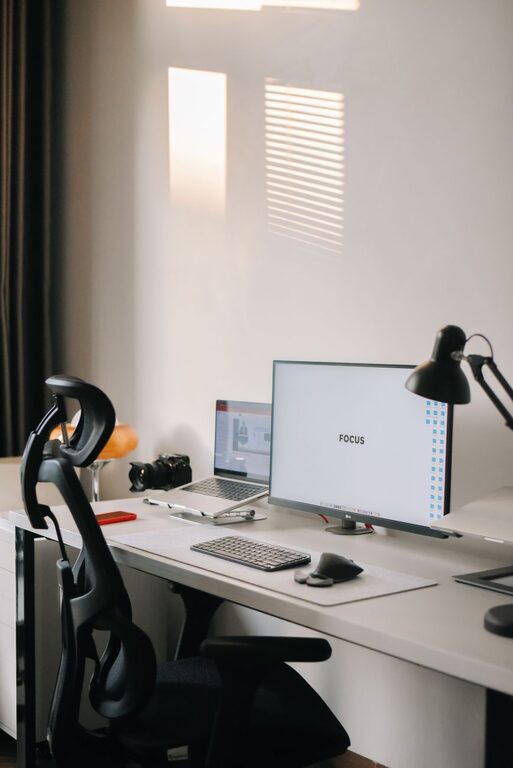
Working from home offers flexibility but can also create challenges when it comes to maintaining an organized and productive workspace. A cluttered desk or chaotic environment can make it difficult to focus, complete tasks efficiently, and enjoy your workday. Fortunately, with a few thoughtful strategies, you can create a home office that supports your productivity and keeps clutter at bay.
In this post, we’ll explore practical tips for organizing a clutter-free and productive workspace right in your own home.
Why a Clutter-Free Workspace Matters
Before diving into the tips, it’s helpful to understand why keeping your workspace tidy is so important. A cluttered environment can:
– Increase stress levels
– Distract your attention and reduce focus
– Waste time looking for misplaced items
– Lower motivation and creativity
On the other hand, a clean, organized workspace supports clear thinking, efficient work routines, and a professional mindset. Creating a dedicated area that feels calm and inviting can help set the tone for a successful workday.
Step 1: Choose the Right Spot for Your Workspace
Selecting the ideal location is the first key to an effective home office setup.
– Find a quiet area: A space with minimal distractions helps you concentrate.
– Consider natural light: Position your desk near windows if possible. Natural light enhances mood and reduces eye strain.
– Ensure comfort: Choose a spot with enough room for your desk and chair, allowing for good posture and movement.
If space is limited, consider using a foldaway desk or a small nook you can personalize to fit your needs.
Step 2: Declutter and Organize Your Desk
The desktop is often where clutter accumulates the fastest. Here’s how to keep it tidy:
Clear Everything Off
Start fresh by removing everything from your desk surface. Clean the area to create a blank canvas.
Keep Only Essentials
Return items to your desk only if you use them daily. This might include:
– Computer or laptop
– Keyboard and mouse
– Phone or planner
– A notepad and pen
– A water bottle or mug
Use Storage Solutions
To keep clutter out of sight:
– Use drawer organizers for pens, paper clips, and cables.
– Invest in desk trays or file holders to manage papers and mail.
– Consider a small filing cabinet or storage bin if you have many documents.
Limit Decor
A few personal touches can make your space inviting, but avoid crowding your desk with too many decorations. A potted plant or a framed photo typically works well.
Step 3: Create Systems to Manage Paper and Digital Files
Paper clutter can quickly get out of control if left unmanaged.
Paper Management
– Use an inbox tray for incoming papers.
– Go through the tray daily or weekly and file, act on, or discard items promptly.
– Keep important documents in labeled folders stored nearby.
Digital Organization
– Set up folders on your computer for different projects or categories.
– Regularly delete or archive emails to avoid overflowing inboxes.
– Use cloud storage to back up important files and access them across devices.
Creating clear systems helps you know exactly where to find what you need without wasting time.
Step 4: Maintain Cable Management
Cables can contribute to a messy workspace if not under control.
– Use cable clips or ties to bundle cords together.
– Consider a cable box to hide power strips and adapters.
– Label cables if you have many devices to simplify unplugging or troubleshooting.
Tidying cables improves the look of your desk and reduces hazards.
Step 5: Prioritize Ergonomics
A well-organized workspace isn’t just about tidiness—it also supports your physical comfort.
– Use a supportive office chair that encourages good posture.
– Position your monitor at eye level to avoid neck strain.
– Keep your keyboard and mouse within comfortable reach.
– Take breaks to stretch and move throughout the day.
Comfortable setups reduce fatigue and help maintain productivity.
Step 6: Develop Daily and Weekly Cleanup Routines
Organization is an ongoing effort, not a one-time project.
– Spend 5–10 minutes at the end of each day putting things away.
– Schedule a weekly deeper clean to sort papers, tidy drawers, and dust surfaces.
– Use reminders or calendar alerts to keep these habits consistent.
These routines prevent clutter from building up again.
Bonus Tips for Boosting Productivity
– Limit distractions: Turn off nonessential notifications and create boundaries with household members during work hours.
– Use task lists: Keep a to-do list visible to track priorities.
– Incorporate plants: Greenery can improve air quality and mood.
– Personalize mindfully: Surround yourself with inspiring but not overwhelming items.
Final Thoughts
A clutter-free and well-organized home workspace can make a big difference in how you work and feel each day. By choosing the right location, minimizing distractions, managing papers and cables, and maintaining regular tidying routines, you’ll create an environment where productivity can thrive.
Start small by clearing your desktop or setting up simple storage, then build from there. An inviting and efficient workspace helps you stay focused, reduces stress, and lets you enjoy the benefits of working at home.